



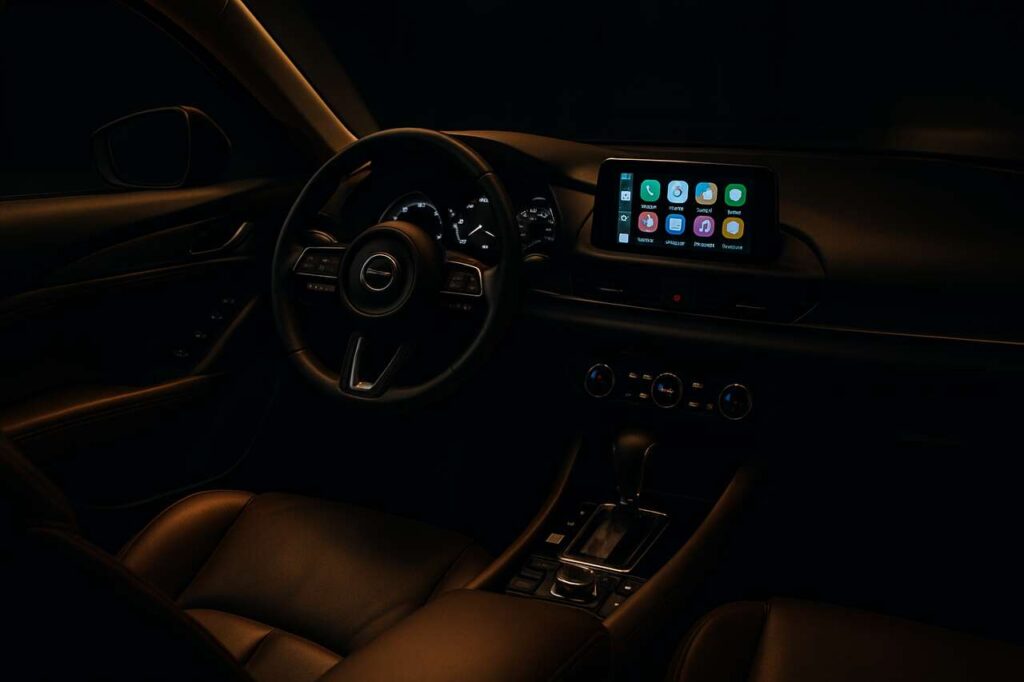
Apple CarPlay has transformed the way iPhone users interact with their vehicles, turning the dashboard into an extension of their digital lives. This intelligent system seamlessly bridges the gap between smartphone functionality and automotive technology, offering drivers a safer and more intuitive way to access essential features whilst on the road. From navigation to entertainment, CarPlay delivers a refined in-car experience that keeps drivers connected without compromising their attention to driving.
Personalise your home screen
Customise your layout for quick access
One of the most practical features of Apple CarPlay is the ability to personalise your home screen layout. Much like rearranging apps on your iPhone, you can reorganise icons to prioritise the applications you use most frequently whilst driving. This customisation ensures that your most essential apps appear prominently on the display, reducing the time spent searching through menus.
- Rearrange app icons by dragging them into your preferred positions
- Remove apps you rarely use to declutter the interface
- Add frequently used apps to the main screen for immediate access
- Create a layout that matches your driving habits and daily routines
Adapt to different driving scenarios
The flexibility of CarPlay’s interface allows drivers to adjust their screen configuration based on specific journeys. Whether commuting to work, embarking on a long road trip, or running errands around town, you can optimise the display to suit each scenario. This adaptability makes CarPlay a truly versatile companion for all types of driving experiences.
Beyond visual customisation, CarPlay also supports wallpaper options that can transform the aesthetic of your dashboard display, creating a more personalised and enjoyable environment. These small touches contribute to a driving experience that feels uniquely yours.
With your home screen tailored to your preferences, you’ll find that accessing other organisational tools becomes even more efficient.
Integrate your calendar for better organisation
View appointments whilst driving
Apple CarPlay’s calendar integration brings your schedule directly to your vehicle’s display, allowing you to stay informed about upcoming commitments without reaching for your phone. The system displays your appointments in a clear, readable format that’s specifically designed for quick glances whilst driving. This feature proves invaluable for professionals and busy individuals who need to manage multiple appointments throughout the day.
| Calendar Feature | Benefit |
|---|---|
| Appointment notifications | Timely reminders without phone distraction |
| Location integration | Automatic navigation to event venues |
| Contact details | Quick access to call meeting participants |
| Split-screen viewing | Simultaneous calendar and navigation display |
Initiate actions from calendar entries
The intelligent integration between your calendar and CarPlay extends beyond simple viewing. When an appointment includes a location, you can tap the entry to immediately launch navigation directions, ensuring you arrive on time. Similarly, if contact information is attached to a calendar event, you can initiate calls directly from the calendar interface, streamlining your pre-meeting communications.
This seamless connectivity between calendar functions and other CarPlay features demonstrates how the system works holistically to support your daily activities. Voice commands further enhance this integration, allowing you to request information about your schedule hands-free.
Speaking of voice commands, CarPlay’s virtual assistant offers even more ways to enhance your driving experience.
Use Siri for simplified navigation
Navigate hands-free with voice commands
Siri transforms Apple CarPlay into a truly hands-free system, allowing drivers to request directions, find points of interest, and adjust routes without taking their hands off the wheel. Simply activate Siri by pressing and holding the voice control button on your steering wheel or by saying the wake phrase, and you can command the system using natural language.
- Request directions to specific addresses or business names
- Ask for nearby petrol stations, restaurants, or car parks
- Inquire about estimated arrival times and traffic conditions
- Request alternative routes to avoid congestion
- Add stops to your current journey
Access information whilst driving
Beyond navigation, Siri serves as your personal assistant on the road, capable of answering questions, setting reminders, and providing information about weather conditions or local attractions. This multifunctional capability means you can stay informed and productive without compromising safety. The voice assistant understands context, so you can ask follow-up questions naturally, creating a conversational experience that feels intuitive.
The accuracy of Siri’s voice recognition has improved significantly, making it reliable even in noisy driving conditions. Whether you’re on a motorway with wind noise or navigating busy city streets, the system consistently interprets your commands correctly.
Just as Siri helps with navigation and information, CarPlay also ensures you stay connected through safe messaging capabilities.
Manage your messages safely
Read and respond without looking at your phone
Apple CarPlay prioritises driver safety by enabling message management without requiring you to handle your iPhone. When messages arrive, Siri can read them aloud through your vehicle’s speakers, allowing you to hear the content without glancing at the screen. This audio-first approach ensures that your attention remains focused on the road ahead.
Compose messages using voice dictation
Responding to messages becomes equally straightforward through voice dictation. Simply ask Siri to reply to a message, and you can dictate your response naturally. The system converts your speech to text with impressive accuracy, and before sending, Siri reads the message back to you for confirmation. This verification step prevents embarrassing autocorrect errors and ensures your intended message is delivered correctly.
| Messaging Feature | Safety Benefit |
|---|---|
| Audio message reading | No need to look at screen |
| Voice dictation | Hands remain on steering wheel |
| Message confirmation | Verify content before sending |
| Do Not Disturb mode | Automatic silencing of notifications |
Activate Do Not Disturb whilst driving
For those who prefer minimal distractions, CarPlay offers a Do Not Disturb mode specifically designed for driving. When activated, this feature silences notifications and automatically sends replies to incoming messages, informing contacts that you’re currently driving. You can configure exceptions for specific contacts, ensuring urgent communications still reach you whilst filtering out less critical messages.
Communication sorted, your entertainment options deserve equal attention for a complete in-car experience.
Optimise your music experience
Access multiple streaming platforms
Apple CarPlay supports a wide range of music streaming services, giving you unprecedented choice in your in-car entertainment. Whether you subscribe to Apple Music, Spotify, Amazon Music, or other platforms, you can access your entire library through the familiar CarPlay interface. This compatibility eliminates the need to switch between different apps on your phone, as everything is accessible through the vehicle’s display.
- Browse playlists and albums with large, easy-to-read icons
- Search for specific songs, artists, or genres using voice commands
- Access recently played tracks for quick selection
- Discover new music through curated recommendations
- Control playback using steering wheel controls
Utilise split-screen functionality
Recent iOS updates have introduced split-screen capabilities to CarPlay, allowing you to view your music controls alongside navigation or other apps simultaneously. This multitasking feature proves particularly useful on long journeys, where you might want to monitor your route whilst also managing your playlist. The split-screen layout is intelligently designed to ensure both functions remain clearly visible and accessible.
Enhance audio quality settings
Many music streaming apps through CarPlay offer adjustable audio settings that let you optimise sound quality based on your vehicle’s audio system. You can select higher bitrate streaming when data allowances permit, or switch to data-saving modes during lengthy road trips. These customisable options ensure you always enjoy the best possible listening experience whilst managing your mobile data efficiently.
With entertainment covered, exploring additional compatible applications can further expand CarPlay’s functionality.
Explore new compatible apps
Discover productivity applications
Apple CarPlay’s ecosystem extends far beyond navigation and entertainment, with numerous productivity apps designed specifically for safe use whilst driving. Audiobook platforms, podcast applications, and news services offer content consumption options that make commutes more informative and enjoyable. These apps are optimised for the CarPlay interface, featuring simplified controls that minimise distraction.
| App Category | Popular Examples | Primary Function |
|---|---|---|
| Audio content | Audible, Overcast | Audiobooks and podcasts |
| Parking | JustPark, PayByPhone | Find and pay for parking |
| Messaging | WhatsApp, Telegram | Alternative messaging platforms |
| Navigation | Waze, Google Maps | Community-based traffic updates |
Try alternative navigation options
Whilst Apple Maps provides excellent navigation through CarPlay, alternative mapping applications offer unique features that might better suit your preferences. Community-driven platforms provide real-time updates about traffic incidents, speed cameras, and road hazards reported by other drivers. These crowdsourced insights can help you avoid delays and navigate more efficiently, particularly in urban environments where traffic conditions change rapidly.
Integrate parking and charging solutions
For electric vehicle owners and urban drivers, CarPlay supports apps that help locate and pay for parking spaces or charging stations. These specialised applications integrate with your navigation, automatically routing you to available parking near your destination or directing you to charging points when your battery runs low. The seamless integration of these services within CarPlay eliminates the need to juggle multiple devices or apps whilst driving.
Apple CarPlay represents a comprehensive solution for modern drivers, combining safety, convenience, and entertainment in a cohesive system. By personalising your interface, leveraging voice commands, managing communications responsibly, enjoying diverse entertainment options, and exploring compatible applications, you can transform every journey into a more connected and efficient experience. The system continues to evolve with regular updates, ensuring that CarPlay remains at the forefront of automotive technology integration.